
Android App
WHERE’S THE CAR?


After one of the guys at Wicked Monkey had trouble finding his car, we decided to make an easy-to-use, good-looking app to help him.
And maybe several thousand others who have the same problem.
After all, you would think that having a smartphone in your pocket should be able to help you with these things, right?
So we thought about a one-button type of app...
And came up with Where's your car?
This app efforlessly notes your position.
Using this type of GPS locator is accurate to within a few metres.
And can get you back just as easily to, say, your car or hotel or whatever it is that you wish to return to.
The idea is that Where’s the car? helps you get from your current location back to your saved location.
Especially useful if you don't know your way around or if you're in an unknown city.
This personal locator is so easy to use that a child could use it.
The app Where’s the car? shows you the direction to walk and how long it will take to get there (estimated in minutes).
As a user of the app, you only need to remember to save the location to which you wish to return to.
Android smartphone tip
IMPROVING GPS ON A SMART PHONE
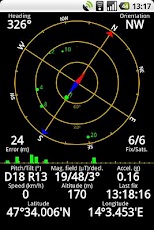
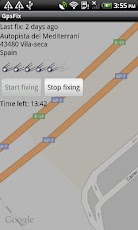
Many apps use GPS to localise you and get local info for you.
Nice! but that doesn't always happen so quickly, right?
How quickly your Android phone gets a GPS fix depends primarily on the hardware chosen by the manufacturer of your phone.
It's the GPS chip which is the important bit.
And GPS chips can be compared to cars; they range from Chevrolet to Fiat to Mercedes to Porsche all the way up to Rolls Royce.
Even if your phone has one of the cheaper GPS chips, not all is lost.
If your phone takes too long to get a GPS fix, here are two apps you can use, to speed up the fix.
No! they're not from us.
Yes! they're free.
Using these two apps helped us but there's no guarantee that they'll improve your fixing speed.
Of course, they will not worsen the situation so you've got nothing to lose:
Nr. 1
Download the app GPS Status & Toolbox by EclipSim
Install and start the app.
All you do here is open the menu, select "Tools" then "Manage A-GPS state" then "Download".
What you're doing is updating the GPS satellite information.
Wait until download is completed, which can take up to 30 seconds.
Finished!
Nr. 2
Download the app GpsFix by Android Labs
Install the app.
For this app you need a free view of the sky, so go outdoors.
Start the app.
If the app doesn't start fixing automatically, then select "Start fixing".
Wait until fixed, which can take up to 15 minutes.
Finished!
If there's only a small improvement, repeat the the steps a couple of times.